GiFit Trainer — for personal trainers and gyms

Your gym, in your pocket.

Athletes, plans, cycles and WODs in the Trainer section of the GiFit app, on iPhone and on Android. Write the plan and it lands in your athlete’s app; loads, sessions and measurements come back to you on their own.

🔐 End-to-end encrypted 🏛️ Clients stay with the gym 🖥️ On PC too, free

The Trainer section is a subscription: the monthly plan starts with two weeks free. Prefer a PC? The Windows program is free.
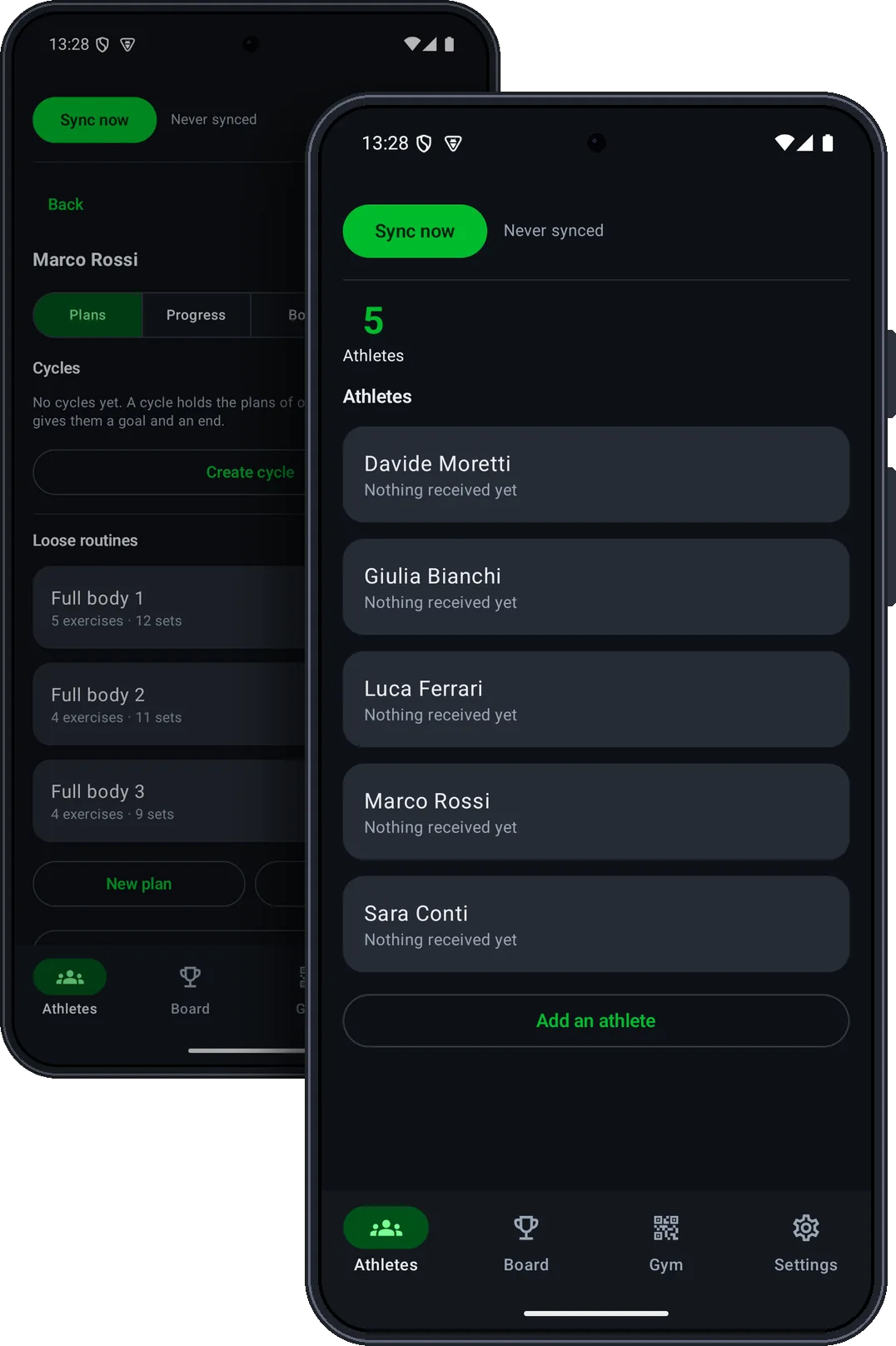
The Trainer section of the GiFit app on two phones: the list of athletes and one athlete’s plans
How it works

A photo of a plan gets lost in the chat. This won’t.

From the coach’s phone to the athlete’s app, and back.

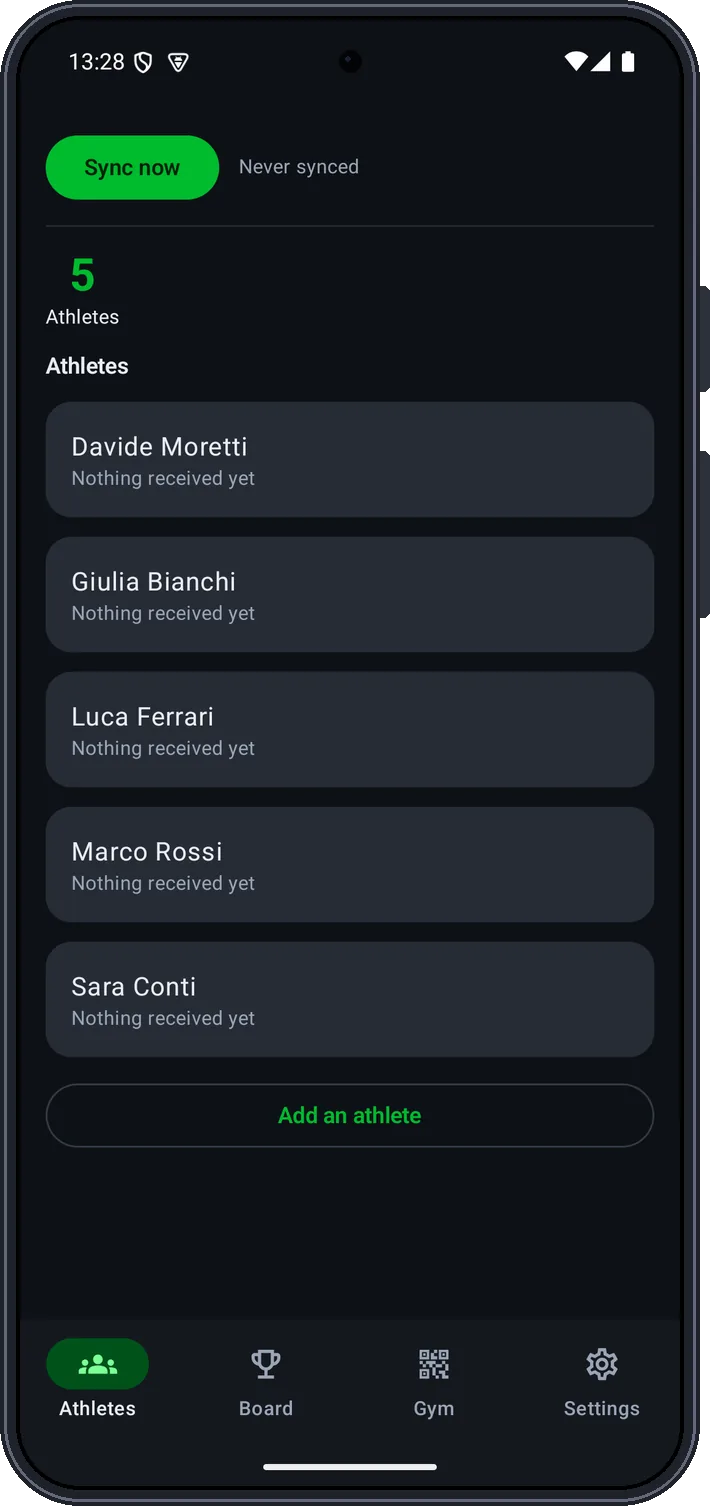
The Athletes page: five athletes and the Sync now button

1 Your athletes, one tap away

Each athlete connects once, by scanning the gym’s QR card. From the Athletes page you sync with one tap, and see what has arrived and when.

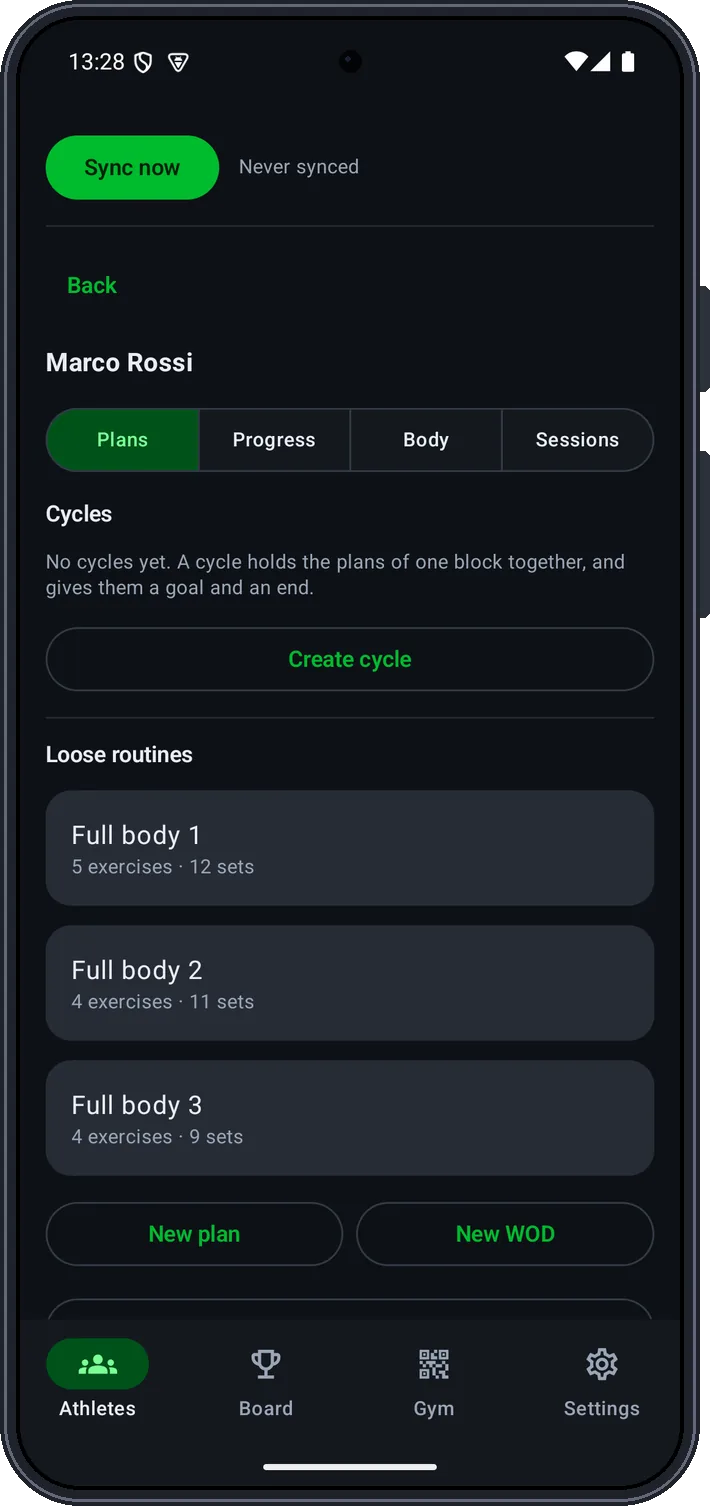
An athlete’s page: their plans and the New plan and New WOD buttons

2 Plans, cycles and WODs

For each athlete you have plans, cycles, progress, measurements and sessions. Change a plan and the new version lands in the athlete’s app, with no duplicates.

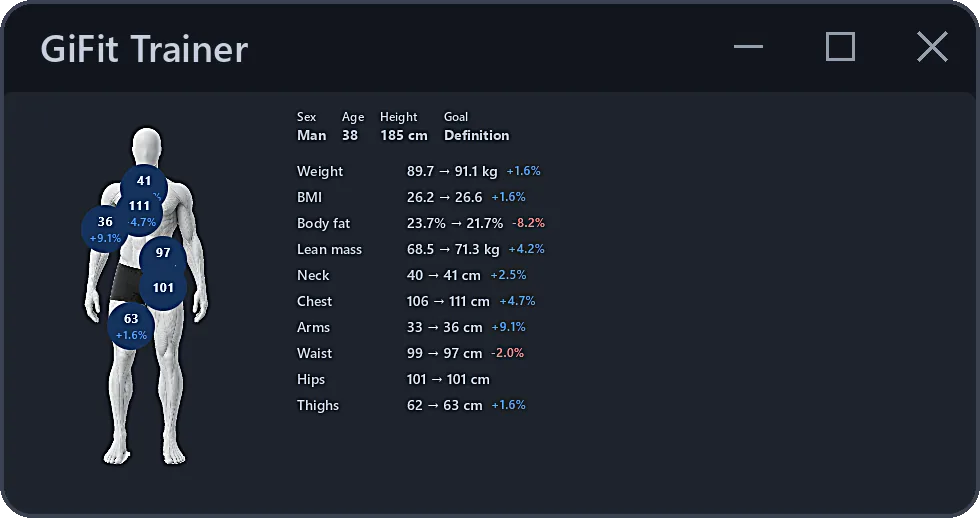
The Windows program: an athlete’s measurements and how they changed

3 Progress comes back on its own

Loads, sessions and measurements logged by the athlete reach you, on your phone as on your PC. No photos to ask for, no files to send back.

The data

It stays with the gym

🔒

A server that can’t read

Plans and history travel encrypted for whoever needs to read them: the server routes envelopes it cannot open, and never sees a name.

🏛️

The method stays at the gym

If a trainer leaves, clients, plans and history stay with the gym: the handover is instant.

🖨️

On paper too

Does your client want a printout? The Windows program prints plans and cycles.

Windows program

Prefer a PC? It’s free.

GiFit Trainer for Windows does the same job from the gym’s computer: no licence, no fee, no cap on athletes or trainers. PC and phone are the same archive: they link with a QR code and stay in step.

Try it in your browser
GiFit Trainer — Olympus Gym DEMO

A faithful simulation of the screens, trimmed in content: 20 exercises instead of the 270+ in the real library, no printing, export or saving — it starts over on reload. It all runs in your browser: no data leaves this page.

Want a hand getting started?

Drop us a line: we reply by email and, if needed, we handle the program’s installation remotely. It costs nothing.

FAQ

The things we’re asked most

Can I work from my phone alone, without a PC?

Yes, on iPhone and on Android: the Trainer section of the GiFit app founds the gym, shows the QR card athletes scan, writes plans and cycles and reads their progress, with no PC anywhere. If one day you want the PC as well, PC and phone link with a QR code and stay the same archive. You need the latest version of the app: if the section is not there, update it from the store.

What does it cost?

The Windows program is free: no licence, no fee, no cut of the takings. The Trainer section of the app is a subscription, monthly or yearly: the monthly plan starts with two weeks free, and the store shows the price. The price of the service to its members is the gym’s to set, and it does not go through us.

Does the athlete have to pay to receive my plans?

They need GiFit active on their phone: linking a gym is included, not an extra to buy. Someone already using the app may already have it.

Does my athletes’ data end up in a cloud?

It passes through a server that cannot read it, and that isn’t just a promise: plans and history are encrypted for the recipient’s key, and we do not hold that key. The server sees a sealed envelope and a code, never a name, an email or a workout: the match between code and person exists only on the gym’s devices.

Can an athlete stop sharing?

Yes, whenever they want, from the app: they can pause or disconnect entirely. To be clear: it stops the future, not the past — what you have already received stays on your devices, and from that moment you are the controller of that data. If they ask you to delete it, the request goes to you, not to us: we have nothing to delete.

What if GiFit shuts down, or the server disappears?

Your management software keeps working: clients, plans, cycles and history are on your devices, not on the server. Only automatic delivery stops. No data is held hostage.

Does it work for functional training too?

Yes: a WOD editor, a functional-movement library with videos and benchmark leaderboards are included.